VENDOR & INDIVIDUAL BANK ACCOUNT REGISTRATION
Q1: What documents are required for vendor registration?
A1:
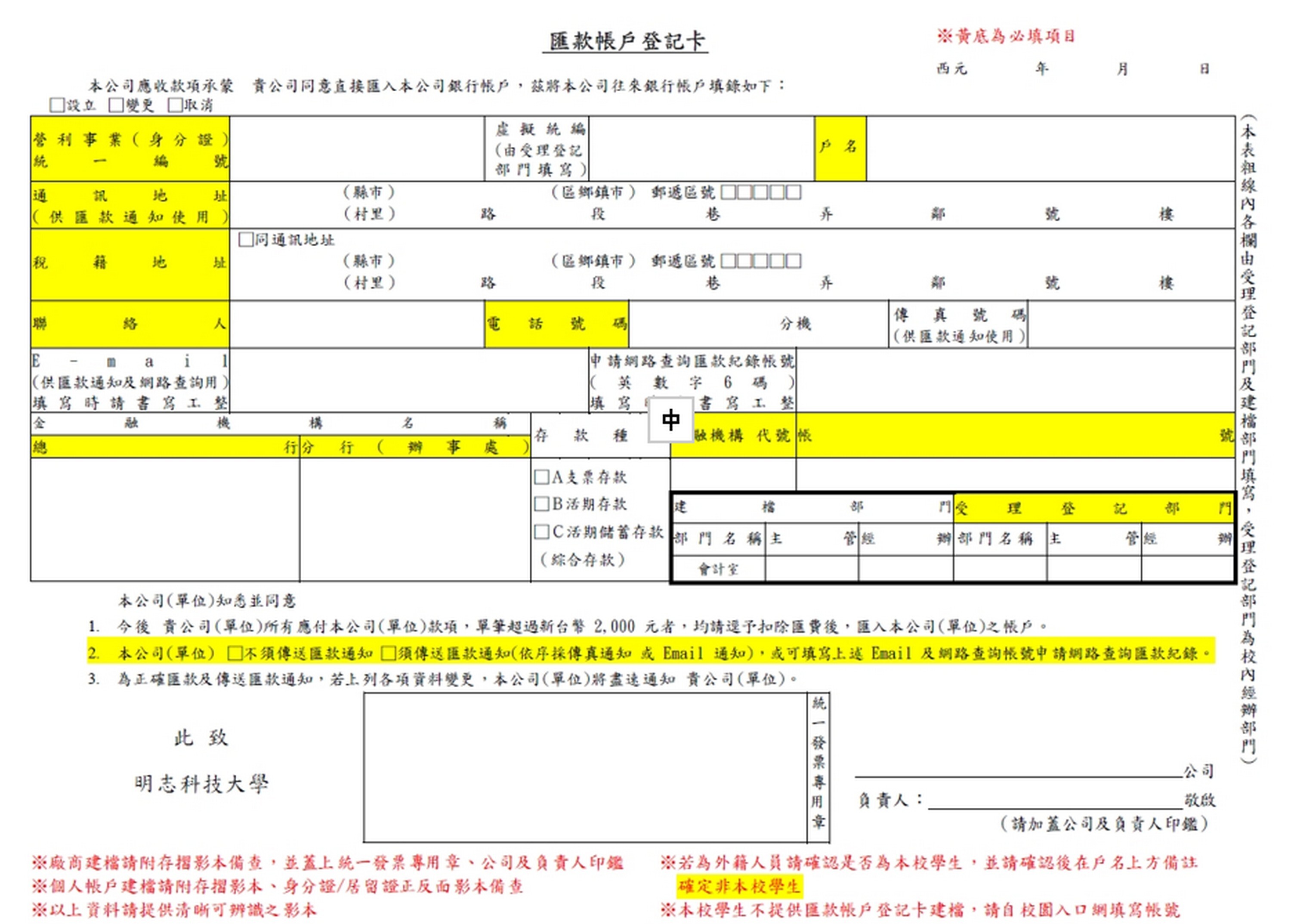
1.Download the “Remittance Account Registration Form” from the Accounting Office website.
2.For registration under an individual name, provide copies of the front and back of your ID card or residence permit, along with a copy of your bank passbook.
3.For registration under a company name, provide a copy of the company’s bank passbook.
Q2: What information must be filled out in the Remittance Account Registration Form?
A2:
1.The fields highlighted in yellow in the form are mandatory.
2.For the second item in the form, if you choose to receive remittance notifications, you must provide an email address. If you do not wish to receive notifications, you may leave it blank. However, if an email address is provided, it will be treated as a request to receive remittance notifications.
3.For the “Processing Department,” please fill in the internal department responsible for submitting the registration. The supervisor and the person in charge must sign personally.
4.For registration under a company name, the form must bear the company’s uniform invoice seal, company seal, and the responsible person’s seal.
5.The “Account Name” on the form must exactly match the name shown on the bank passbook copy.
6.This is important remittance information; no alterations are allowed.
7.Students of the university should not apply for registration. For foreign students, please confirm their status and note “Not a student of this university” in the blank space.
Q3: What is the account for applying to check remittance records online?
A3:
To facilitate vendors in checking remittance records for reconciliation, once the registration is completed, an email will be sent to your email account to reset your password. After changing your password, you can log in to the Formosa Plastics website to check remittance records.
Q4: How long does it take to complete the registration?
A4:
It takes approximately one week. However, during peak periods such as July and December when accounting closing tasks are heavy, processing may take longer. Please be patient.
Q5: How can I check whether the registration has been completed?
A5:
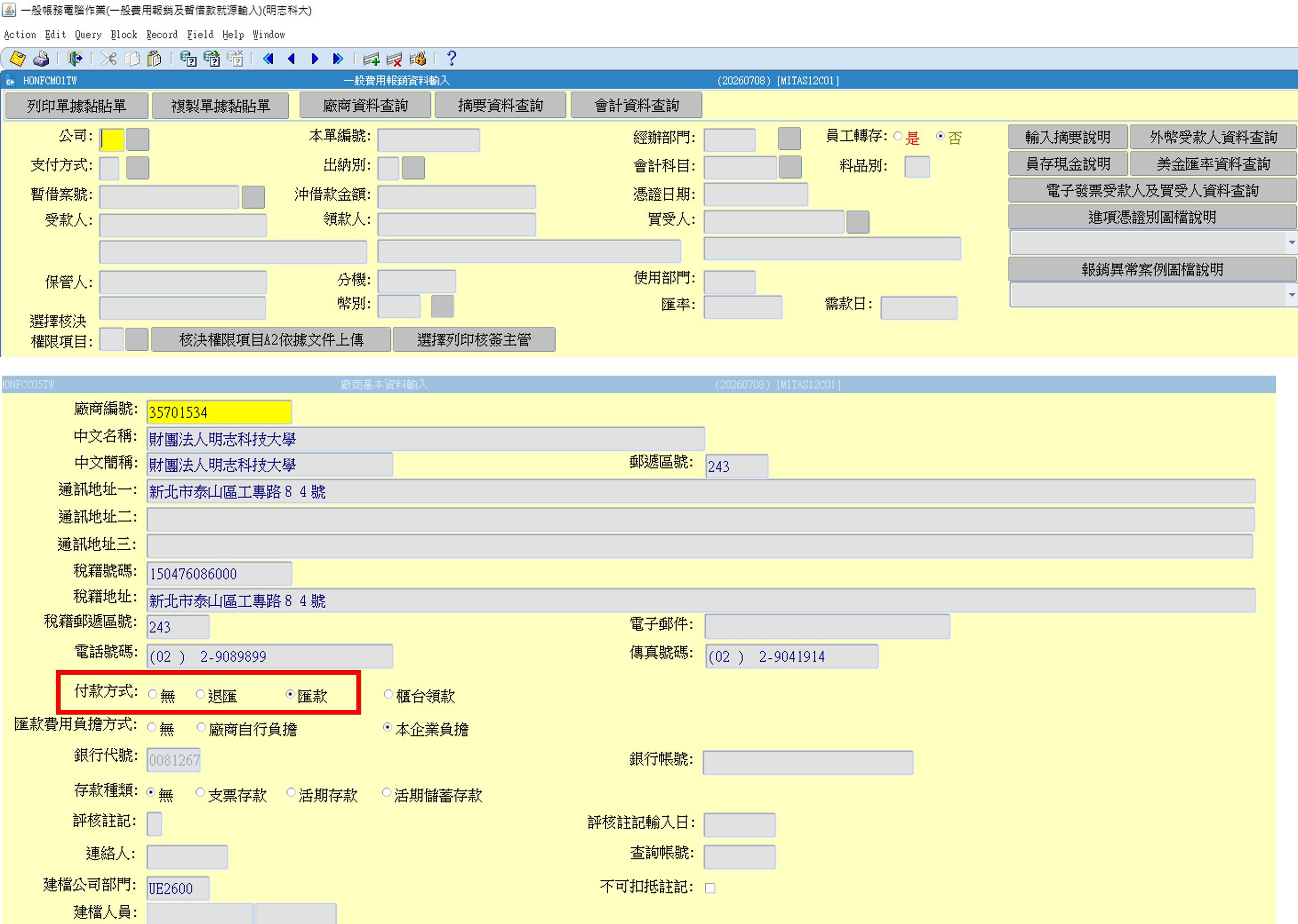
You can log in to the ERP system, enter the “Document Attachment Form” screen, select “Vendor Information Inquiry,” press F7 to enter the vendor number, and press F8 to search.
If the payment method shows “Remittance,” the registration is complete.